Task Raising
A seamless way to raise requests - QR code, WhatsApp, email, or IoT

Jobs coordinated by spreadsheet and WhatsApp. SLAs slip before anyone notices. askporter Control & Management assigns, tracks and closes every job — with alerts before the breach.
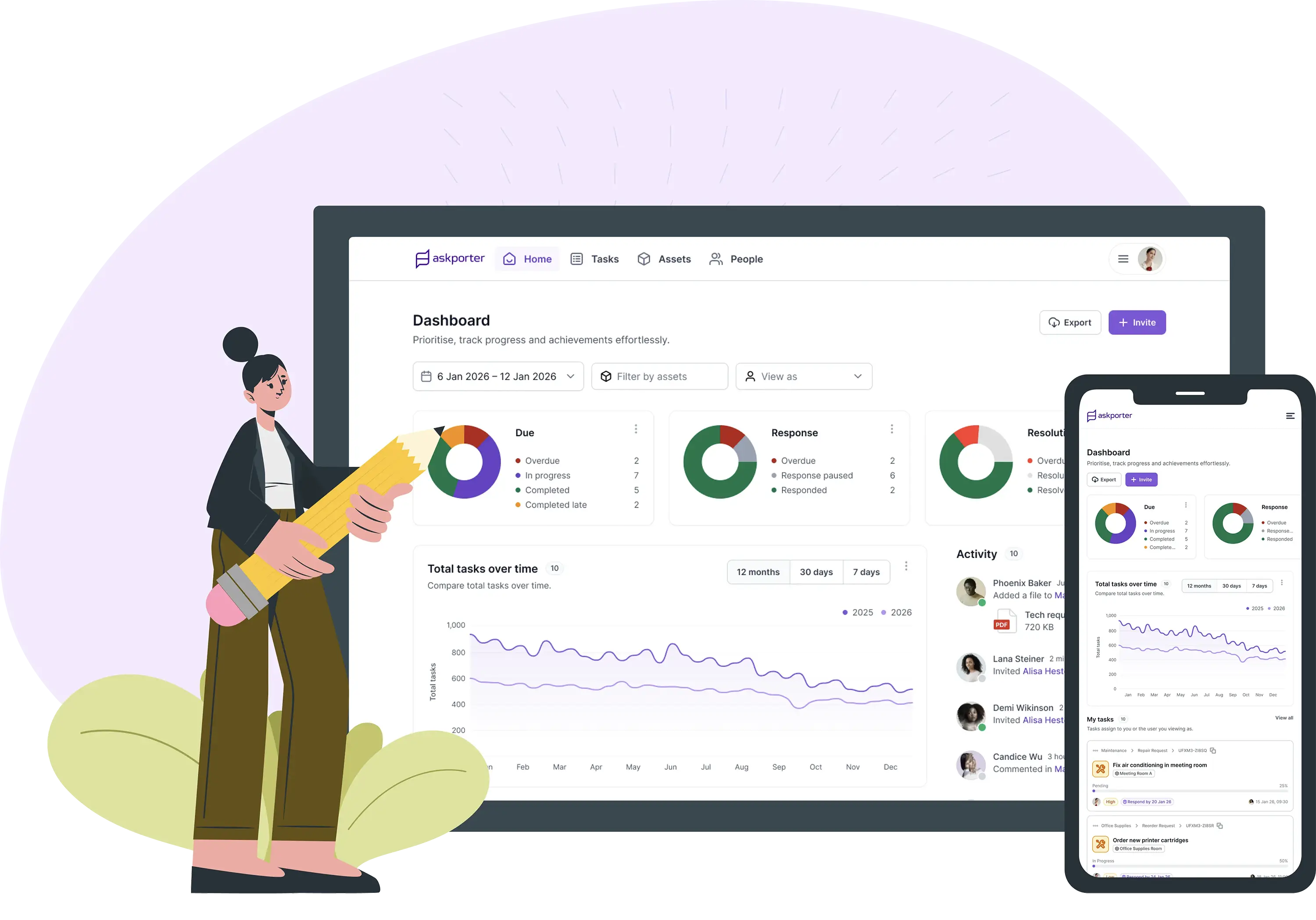





Your manager's day doesn't start with actual work, it starts with chasing. Contractors on WhatsApp, new requests scattered across inboxes, SLA reminders manually set on calendars, and logs buried in a spreadsheet. Each new contract adds coordination overhead that costs margin before a single operative reaches a site. And when an SLA slips, the penalty is already booked by the time anyone notices. At WISAG, askporter Operations has moved 387,000+ tasks through a single management layer, replacing fragmented email and spreadsheet tracking with one clear audit trail from report to sign-off.
Integrating askporter has been a game-changer for us at WISAG. The AI-driven chatbot, Ellie, has transformed our communication processes, improving ticket escalations and responses, and enhancing our overall service quality. Our clients now experience seamless issue resolution and we have streamlined our operations across all departments.

Digital Transformation Manager at WISAG



The management layer of askporter Operations — where work gets assigned, tracked and closed off. For internal FM teams and smaller FM companies without their own CAFM, Control & Management is the platform. For those already running on an existing CAFM, Task Raising alone is usually the right fit. Control & Management connects Task Raising upstream and Job Delivery downstream — one system from report to sign-off, one helpdesk view across every site, every SLA, and every contract.
Make sure tasks raised are the provider's responsibility and are approved before action — so your team doesn't work on issues that aren't yours to fix.
Create work orders and request quotes before any work is carried out — and set quotes to automated approval where your business rules allow (e.g. below a defined value threshold). Send a request to several suppliers at once, and resend in a couple of clicks if nobody accepts. Quotes go to the right approver by value, with more than one approver so leave never holds a job up.
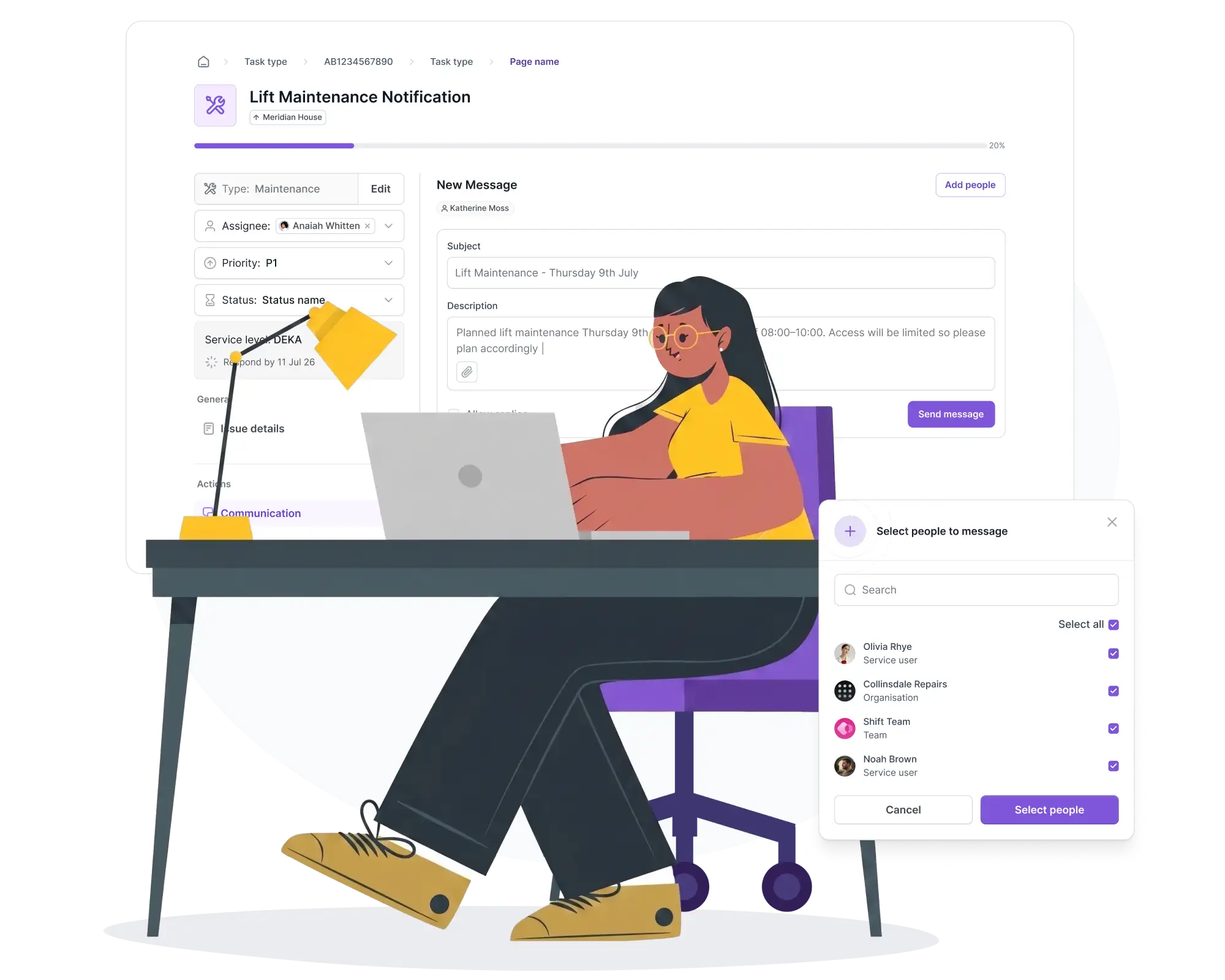
Everyone involved — task-raiser, operative, manager, client — gets the updates they need, automatically.
Configure response and resolution targets by task type and asset. Automatic escalation before SLAs are breached.
Track, update and close jobs. Full visibility of open tasks, priorities and team workload from a single dashboard.
Assign each task to the right person in your team based on asset and task type
(Future release)
Real-time reporting on team efficiency, SLA adherence, completion rates, and asset-level job history.

Every task can become a work order. Send it to several suppliers at once, route quotes to the right approver by value, and see each step on one timeline.
Report an issue on WhatsApp, email or web chat, photos included. askporter asks the questions an engineer would, in plain, friendly language, so every task arrives with a proper diagnosis rather than “it’s broken”.
People describe the problem in their own language and see a clear AI-translated note. Your helpdesk gets a structured summary in its working language.
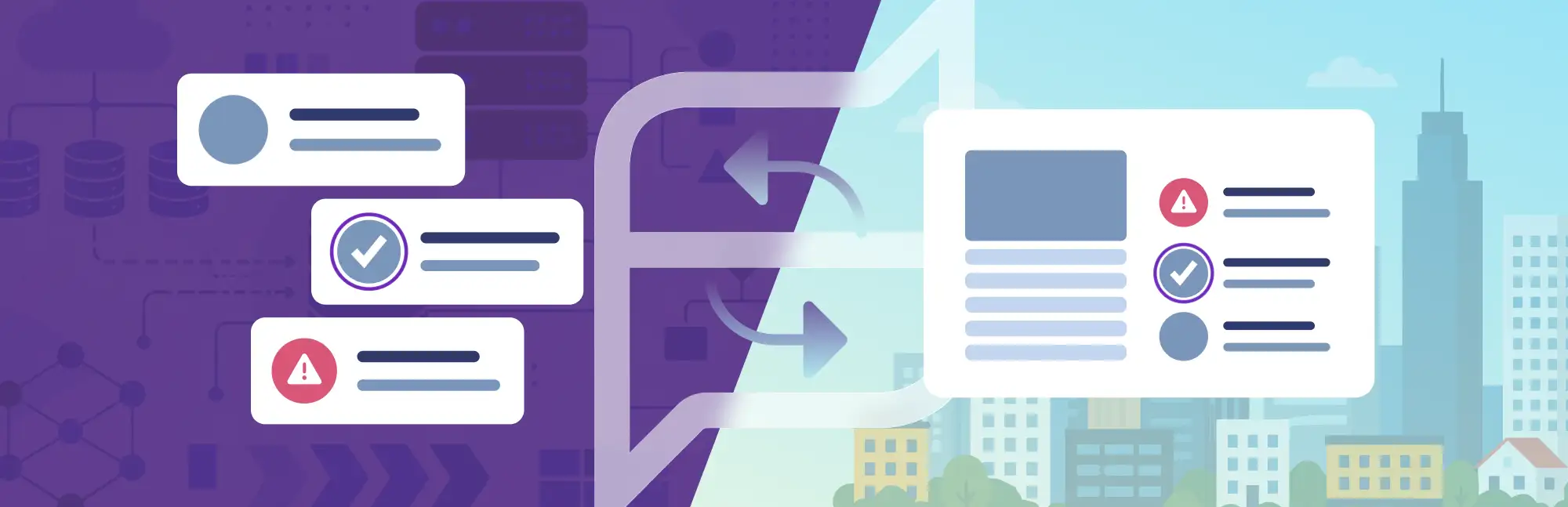
Control & Management runs as the management platform for FM teams without a CAFM — and hands jobs cleanly into the one you already have. No rip-and-replace, no dual data entry.

Every stage of a job: intake, triage, assignment, work order, quotes, completion, it all lives in one audit trail. One trail the client sees. One trail that holds up in a dispute. Each work order has its own timeline: when it was raised, who quoted what, and who approved it when. If a job isn't accepted or its status stalls as the SLA nears, managers get an alert. Contractors add follow-on work to the task notes on site.

SLA escalations fire inside the response window, stopping a missed deadline before it becomes an expensive penalty. Your manager intervenes, not your client.

As your portfolio grows, Control & Management scales with contract value — not with the number of managers on your team. The management layer protects your margin instead of consuming it.
Scope 2 of 4 · For Managers and Clients · Requires Task Raising or Job Delivery
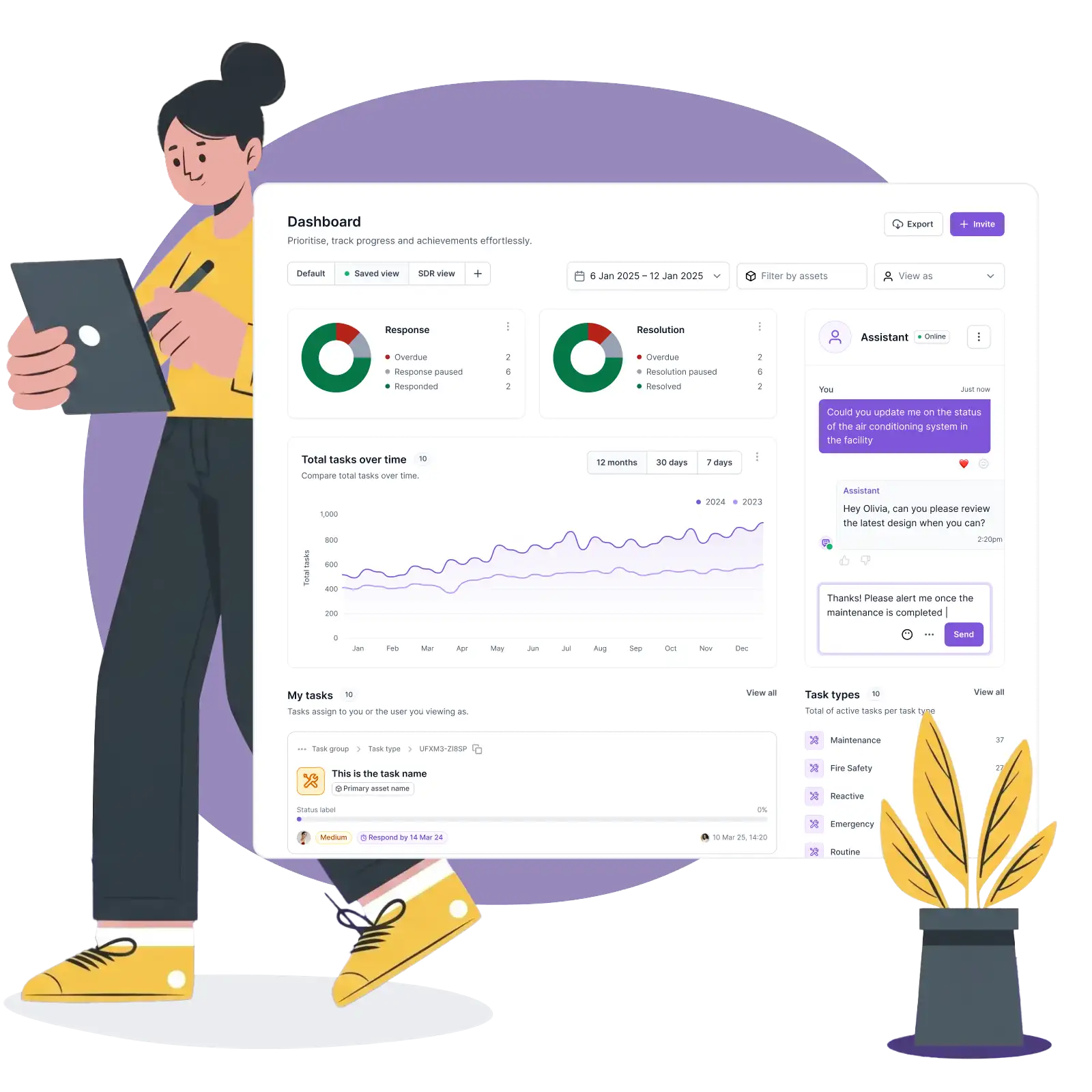
The management layer of askporter Operations — where work gets assigned, tracked and closed. For internal FM teams and smaller FM companies without their own CAFM, Control & Management is the platform. For those already running on an existing CAFM, Task Raising alone is usually the right fit. Control & Management connects Task Raising upstream and Job Delivery downstream — one trail from report to sign-off, one helpdesk view across every site, every SLA, and every contract.
Task Pre-Approvals — Make sure tasks raised are the provider's responsibility and are approved before action — so your team doesn't work on issues that aren't yours to fix.
SLA Management — Configure response and resolution targets by task type and asset. Automatic escalation before SLAs are breached.
Task Assignment — Assign each task to the right person in your team.
Task Management — Track, update and close jobs. Full visibility of open tasks, priorities and team workload from a single dashboard.one dashboard for open tasks, priorities and team workload
Task Status Notifications — Everyone involved — task-raiser, operative, manager, client — gets the updates they need, automatically.
Work Orders & Quotes — Create work orders and request quotes before any work is carried out — and set quotes to automated approval where your business rules allow (e.g. below a defined value threshold). Send a request to several suppliers at once, and resend in a couple of clicks if nobody accepts. Quotes go to the right approver by value, with more than one approver so leave never holds a job up.
Performance Dashboards (future release) Real-time reporting on team efficiency, SLA adherence, completion rates, and asset-level job history.
A kitchen extract fan fails at an office building. The task was raised, auto-assigned, and acknowledged with an ETA. Forty minutes before the SLA window closes, the manager gets an escalation alert — not a penalty notice. The job is reassigned, completed within the window, and the contract's renewal conversation stays on track.
Monday's backlog lands from every site. The ops manager opens one dashboard — not five inboxes, not a WhatsApp scroll. Every task shows status, owner, and SLA remaining. Assignments go out in minutes, not hours.
A contractor submits a low-value parts quote. It sits under the pre-set auto-approval threshold, so it moves through without a phone call. Anything above threshold still hits the manager's desk. Margin stays protected without a new coordinator on payroll.
The FM director walks into the client's QBR with SLA adherence, open jobs and completion rates already in hand. The client stops asking "why" and starts asking "what's next" — and the renewal conversation gets easier every quarter.
How askporter assigns, tracks and approves work, and how you show clients what happened on every job.
Control & Management runs the helpdesk for FM teams without a CAFM — and feeds cleanly into the one you already have. One audit trail from report to sign-off, across every site and every SLA. See what your operation looks like when the coordination runs itself.


Best FM & Housing AI Platform

PropTech Innovation

Best Repairs & Maintenance

UK government-backed · externally audited

UK data residency by default

Documented data processing · DPA on request

AI governance framework · 2024 legislation
Best FM & Housing AI Platform
PropTech Innovation
Best Repairs & Maintenance
UK government-backed · externally audited
UK data residency by default
Documented data processing · DPA on request
AI governance framework · 2024 legislation