
This is our quarterly product update, where we round up what's shipped on askporter over the last three months and what's coming next. This time round: a clearer record of what's happened on a task, more control over who sees it, and a few improvements that make the platform easier to use day to day.
A repair or a job rarely runs on a single channel. There's a phone call here, an email there, and a message on WhatsApp to confirm access, and each handover is a chance for information to get lost, or never passed on at all. This quarter, Notes and Messages close that gap, letting everyone on a task, whether that's your team, a supplier, or the resident who raised it, communicate directly instead of routing everything through a manager.
Notes used to sit behind the scenes, visible only to your internal team. Now:
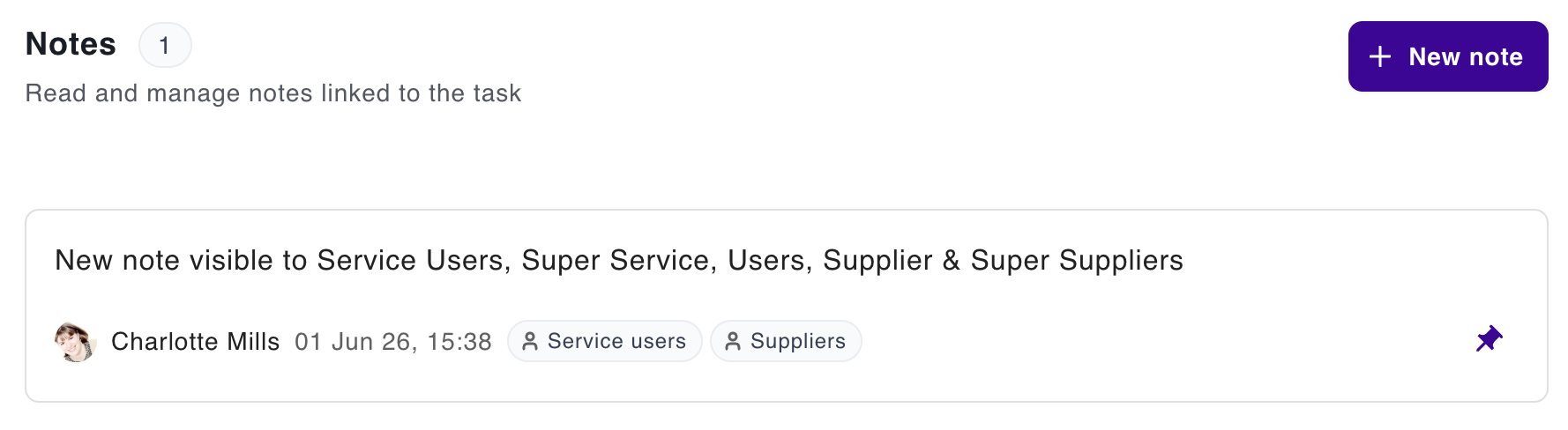

Picture a manager pinning the access instructions a supplier needs before a site visit, or a note confirming what was agreed on a call, visible to the resident who raised it. A safety concern flagged once is seen immediately by everyone on the job. One record, the right audience, no phone call required.
Messages got four upgrades that keep every message about a task in one place:
A resident replies to an email update and their response appears on the task thread instantly. A supplier attaches a completion photo without waiting to be asked. A coordinator loops in a specialist mid-job without starting a new conversation somewhere else.
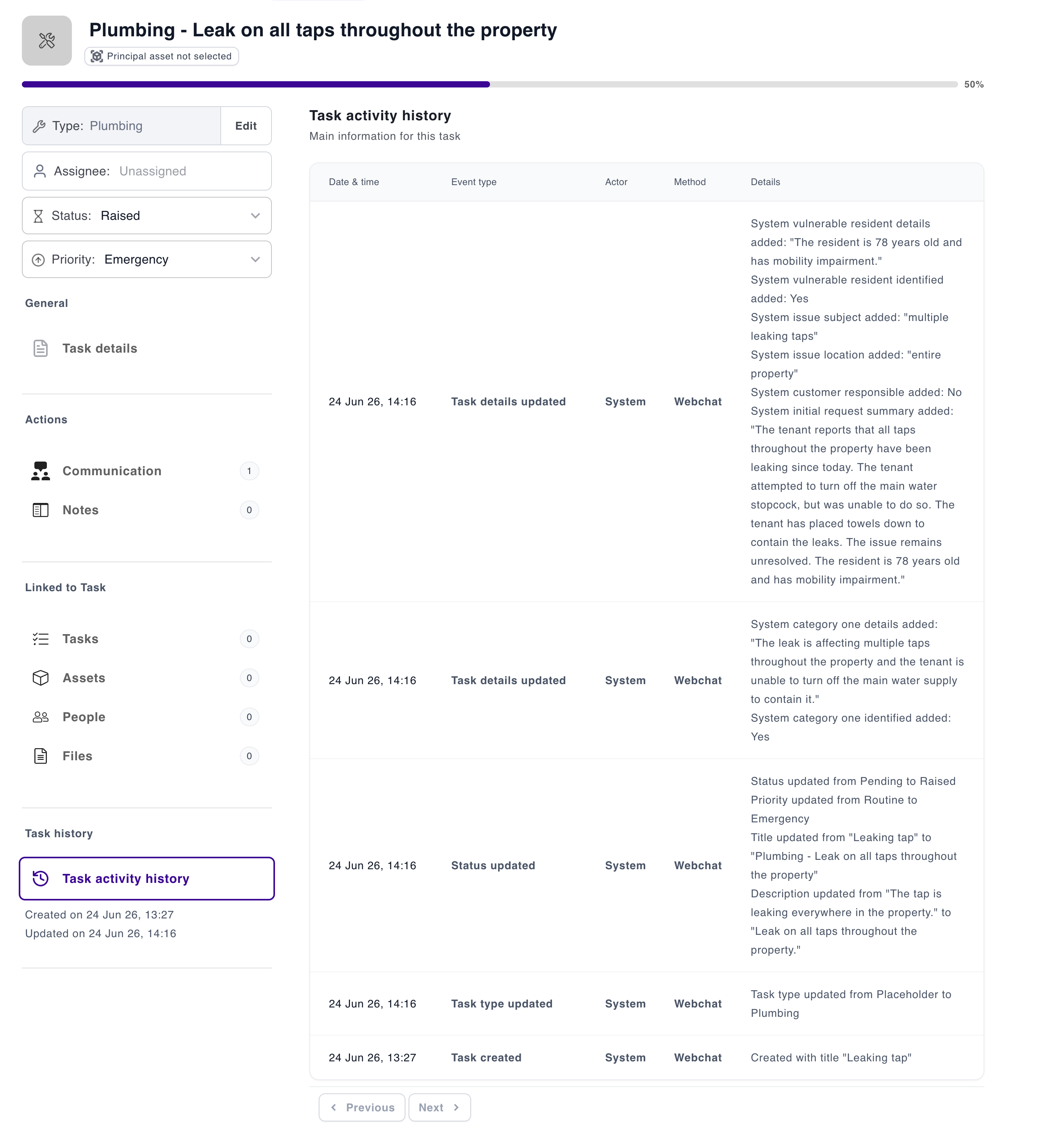
Every manager, client, and regulator eventually asks the same question: what actually happened here? The new Activity Tracker answers it automatically, recording what changed on a task, when, and by whom, so nobody has to reconstruct it from memory or piece it together from five different email threads.
We've also shipped the user-facing history view on top of that foundation, starting with tasks and extending to assets and people. The result: a record you can hand an auditor or a client the moment they ask, rather than going looking for it after.
Not everyone communicates the same way, and webchat now works for more of them. Full keyboard navigation and proper focus support mean it works for people who don't or can't use a mouse, a genuine accessibility win in its own right, not just a language one.
It also means fewer people are stuck describing a problem in a language that isn't their first. Webchat now supports right-to-left languages, including Arabic, and opens automatically in whatever language your browser's already set to. Someone can start a conversation in English, then switch the moment it's easier to explain the problem properly.
Two changes that solve real problems, even if they'll never be the headline. Delete a user and you no longer lose the record along with them: their data is anonymised and pulled from active tasks and assets straight away, but the historical activity stays intact with personal details stripped out, so an audit trail never has a gap in it. And "Copy Reference" means grabbing a task, asset, or user's ID takes one click instead of hunting through a screen to paste it into an email or a call.
The common thread across this quarter's work is control: over who sees what, what's been changed, and how easy the platform is to work with day to day. In practice, that means fewer status-check calls, fewer "I never got that message" conversations, and a record you can stand behind when a resident, a client, or a regulator asks what happened and when.
Got a question about anything in this update, or want a walkthrough of what's changed? Get in touch, we'd love to hear from you.

Best FM & Housing AI Platform
PropTech Innovation

Best Repairs & Maintenance

UK government-backed · externally audited

UK data residency by default

Documented data processing · DPA on request

AI governance framework · 2024 legislation
Best FM & Housing AI Platform
PropTech Innovation
Best Repairs & Maintenance
UK government-backed · externally audited
UK data residency by default
Documented data processing · DPA on request
AI governance framework · 2024 legislation