
For education estates & facilities teams
Heavy footfall, high standards. Stay ahead of your estate.
Give your caretakers, grounds teams and estates managers one accountable trail for every reported issue. One trusted, clear portfolio-wide view of tasks required - no more unmanageable emails and spreadsheets.
.webp)
Your estate reality
Classrooms by day, community venue by night. One estate, one system.
The first thing raised, unprompted, is almost always the same: "I need to know at a glance what's going on with my entire building, site or portfolio. I also need constant alerts when things are missed." Today, that view doesn't exist in one place. It's assembled from an enterprise CAFM or asset system, an in-house tool, spreadsheets, and a phone line, and it's out of date the moment someone's finished compiling it.
What makes an education estate different isn't the systems, it's the site itself. Estates and facilities leads describe it as public and private space at once, with heavy footfall that's also used by the community outside school hours. Planned preventative maintenance is key, and a fast reactive maintenance system is just as key, because a site this heavily used, by children, staff and the public, cannot afford a job that quietly falls through the gap between systems.
94%
43.8%
500,000+
What askporter delivers
Four exceptional outcomes for educational estates
One platform, for everyone who touches the estate
Built for everyone accountable for a school or trust site

Caretakers & Grounds Teams
The people who spot most issues first. Needs to log an issue in seconds, from wherever they're standing, without learning a new system.
FM / Estates Manager /
Head of Grounds
Wants visibility on progress and missed tasks in one glance, rather than chasing status across separate systems and a phone line.
Teachers & Students
A way to report a facilities issue anonymously, a broken lock or a hazard on the field, without needing to give their name to a member of staff.
Head of Academy Trust / Site Owner
Signs off the budget and answers for it. Wants portfolio-wide evidence that issues are tracked and resolved, not a claim they can't back up under scrutiny.
Simplicity is the goal.
One platform for your operations
One platform every member of the estate, from a caretaker to the trust board, can easily use.
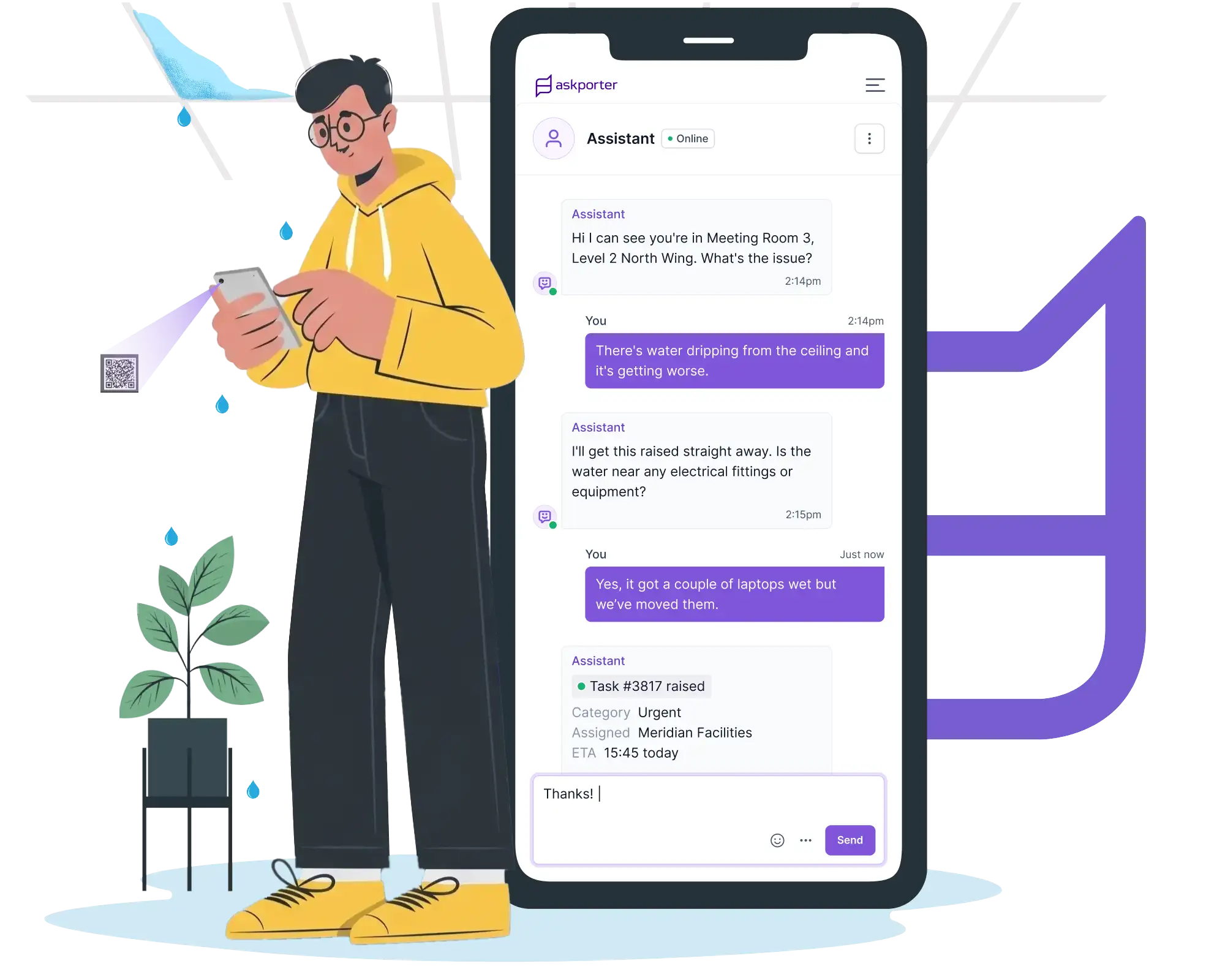
Task Raising
Quick reporting for everyone, staff and students alike.
A caretaker scans a QR code on a broken fitting mid-round. A grounds team member logs a fault from the pitch. A student reports an issue anonymously, without a name attached, for the things they'd otherwise walk past. Every route lands the issue in the same place, triaged and linked to the right building and asset, ready for assignment.
Multiple reporting channels: online assistant, WhatsApp, email, or a QR code at the point of the issue.
Asset & Location Intelligence: each task linked automatically to the right building, floor and asset.
CAFM Integration: where an enterprise CAFM or asset system is already in place, tasks sync straight through.
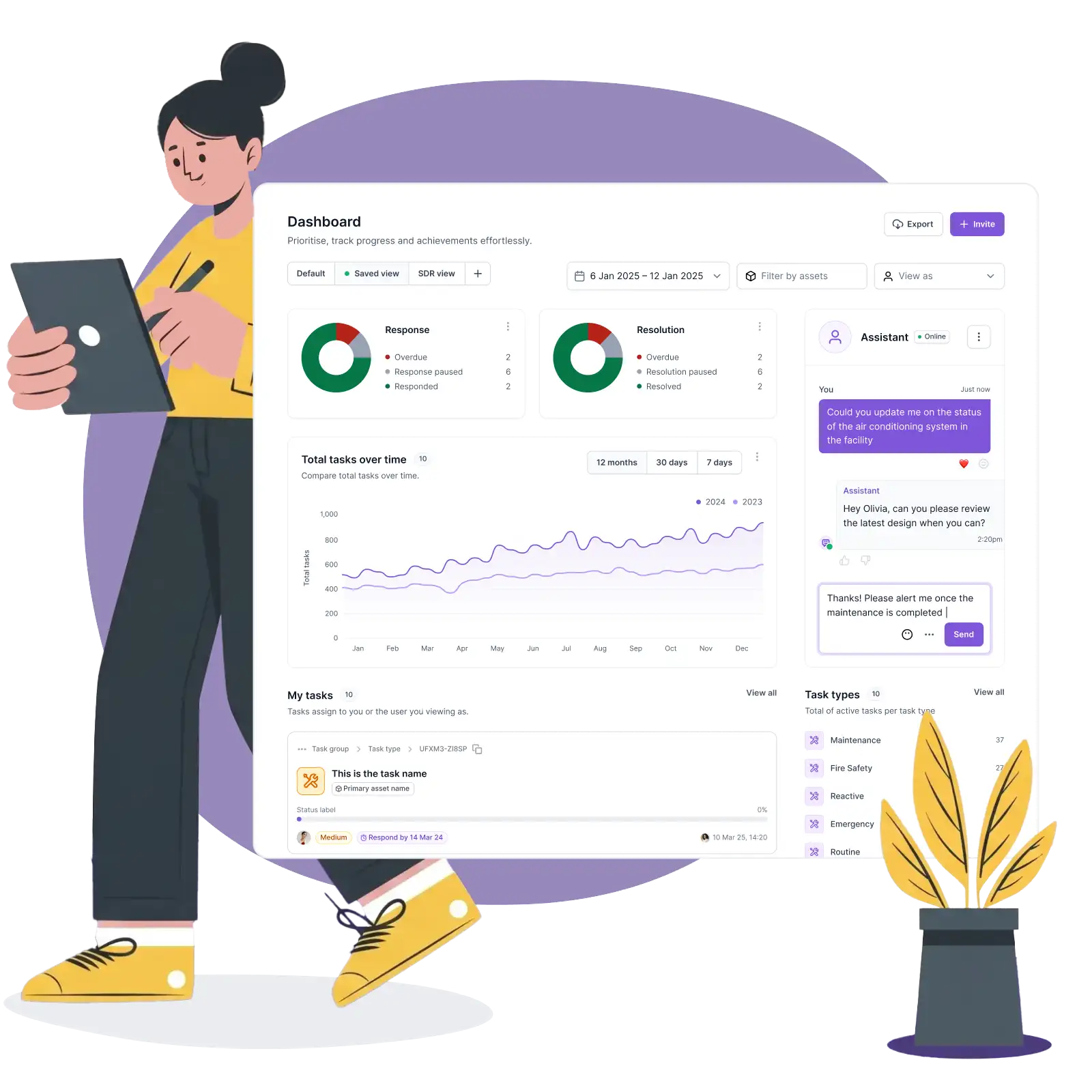
Control & Management
PPM and reactive repairs, tracked on the same engine.
SLAs are configured per building, per category, per team, so a planned fire safety check and an urgent reactive repair are both visible, both tracked, both accountable. A single dashboard shows every open, in-progress and closed job across every site in the trust, not one school at a time.
SLA Management: response and resolution targets by category, building and asset, with automatic escalation.
Task Assignment: route to the right in-house team or contractor in one motion.
Task Management: one dashboard for every job across every site.
Work Orders & Quotes: raised and approved through your rules.
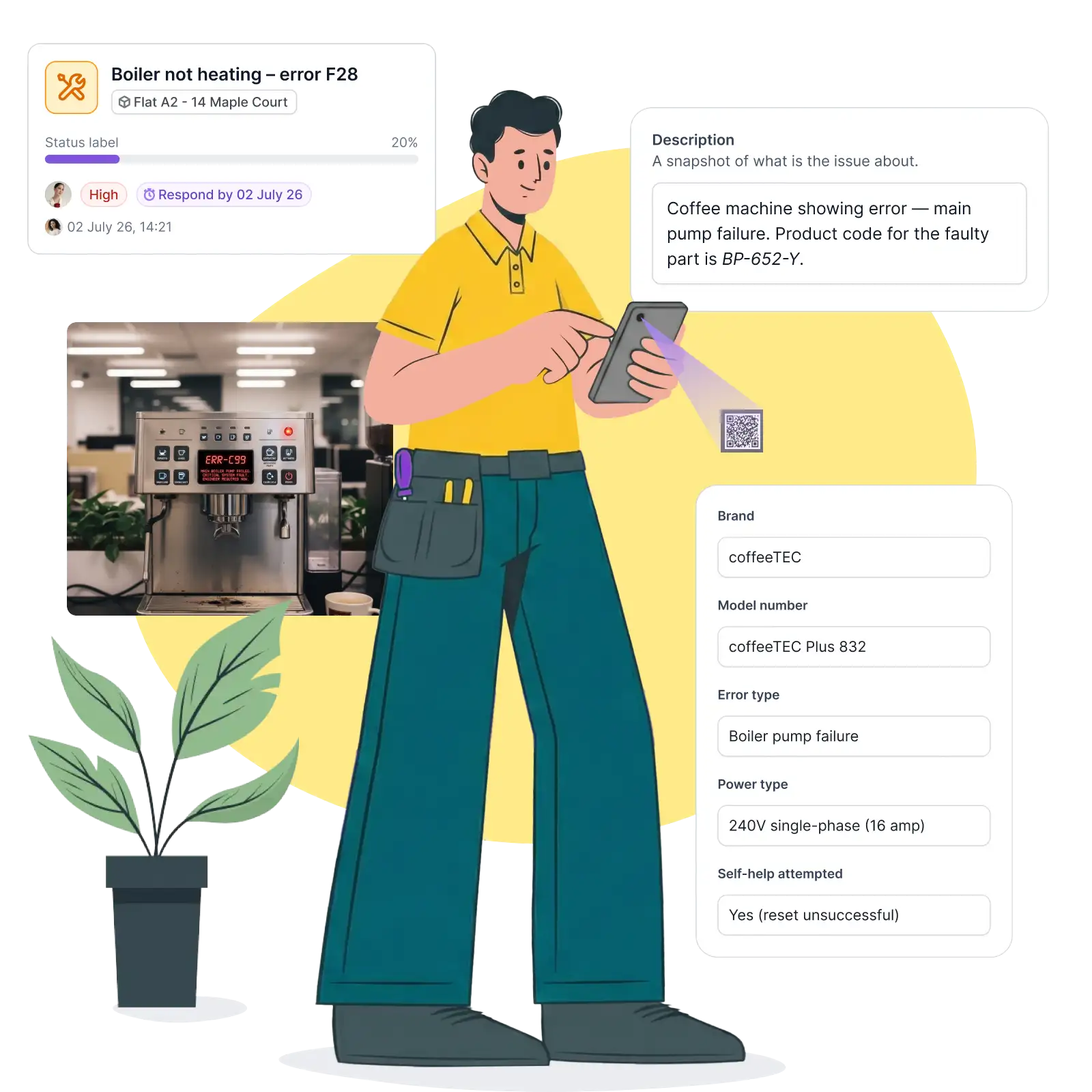
Job delivery
Every job closes with proof, not a signature at the end of a shift.
A contractor or in-house team checks in by QR code at the asset. The job brief, access notes and history are already there. Before-and-after photos attach directly to the record, so a completed job is evidenced, not just marked done.
Operative Job Management: full job brief and asset history delivered on check-in via QR code or web link.
Photo Capture & Evidence: before-and-after photos timestamped against the job.
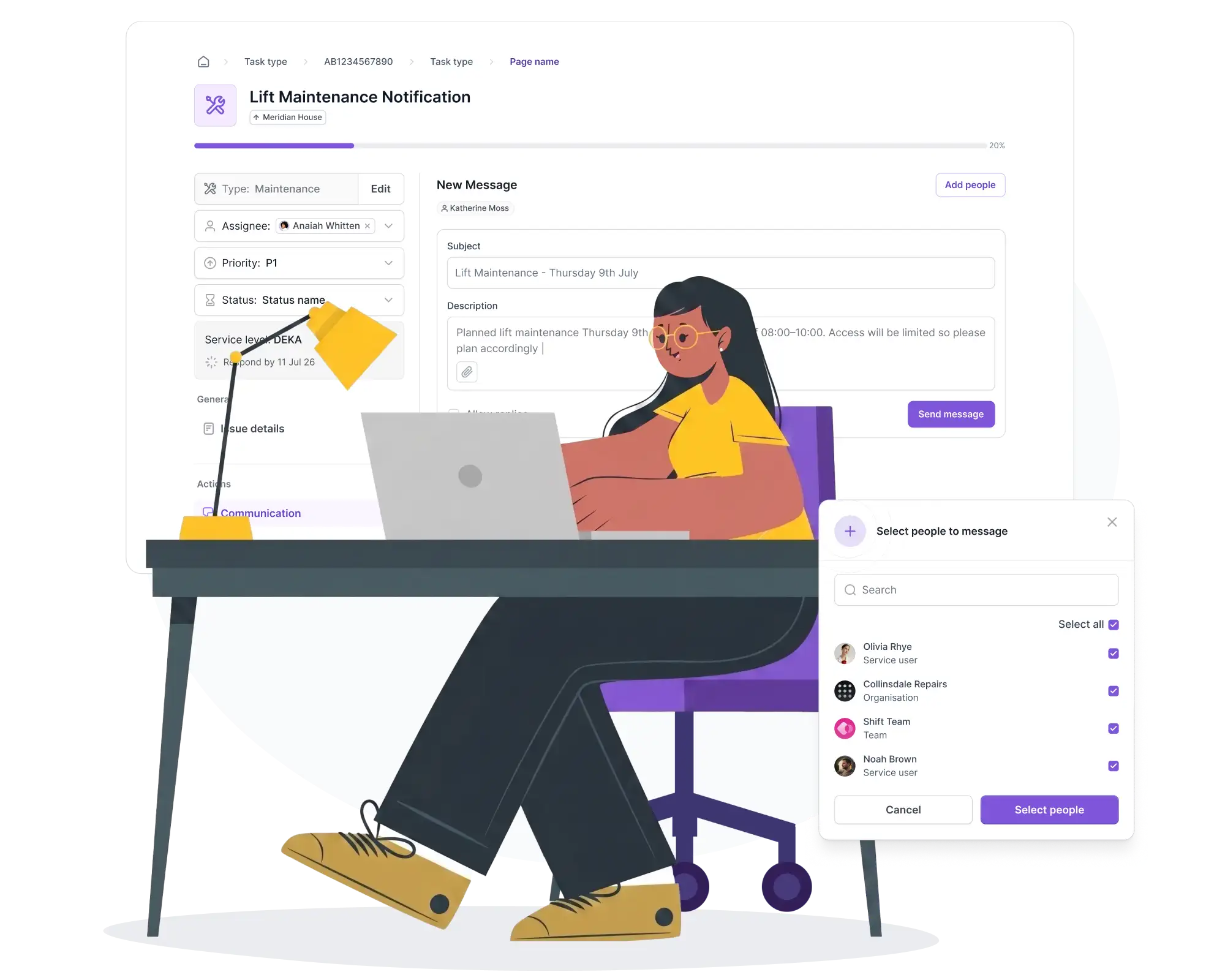
Outreach
Planned works communicated to a site used by more than just the school day.
Planned maintenance and compliance campaigns, fire safety checks, access audits, go out to the right building and audience with a dated record, useful whether that audience is staff, or the community group using the hall on a Tuesday evening.
Planned Maintenance Notices: advance notice, with rescheduling options before the day.
Compliance & Safety Outreach: campaigns delivered by building and audience, with a full record.
Stakeholder Satisfaction Surveys: automated feedback, attributed back to school and team.
Education Estates examples
How it works across a team
Report without a name attached
A facilities issue, reported anonymously
A student notices a broken lock on a changing room door. Rather than mentioning it to a member of staff, they scan a QR code and describe the issue anonymously. It's triaged and assigned like any other task, with no name required for something this routine to get fixed.
PPM, not a spreadsheet
A fire safety check, alongside a broken radiator
A planned fire door inspection is tracked as a task against its own schedule, in the same system as the reactive repairs coming in that week. The estates manager sees both on one dashboard, with no separate spreadsheet for the compliance calendar.
Used by the community
The evening the hall's booked out, and something's not working
A caretaker opening up for a community group finds a broken light in the hall. It's logged on the spot, the same way any school-hours issue would be, so a site used outside term hours doesn't fall outside the system that tracks it.
At a glance
The trust-wide view, before the governors ask
Ahead of a trust board meeting, the estates lead doesn't need to chase three site managers for a status update. One dashboard already shows open jobs, SLA position and anything trending toward breach, across every school in the trust.
Ready to see every site at a glance, and never miss what's overdue?
Book 30 minutes with us. Bring your current escalation log, one contractor SLA, and the last PPM item that slipped through a spreadsheet. We'll show you what one view of the whole estate looks like, alongside the systems you already run.


Tech Innovation Awards 2026
Best FM & Housing AI Platform

Property Week Resi 2025
PropTech Innovation
Housing Innovation 2025
Best Repairs & Maintenance

Cyber Essentials Plus accredited
UK government-backed · externally audited

UK & EU hosted
UK data residency by default

GDPR compliant
Documented data processing · DPA on request

EU AI Act compliant
AI governance framework · 2024 legislation
Tech Innovation Awards 2026
Best FM & Housing AI Platform
Property Week Resi 2025
PropTech Innovation
Housing Innovation 2025
Best Repairs & Maintenance
Cyber Essentials Plus accredited
UK government-backed · externally audited
UK & EU hosted
UK data residency by default
GDPR compliant
Documented data processing · DPA on request
EU AI Act compliant
AI governance framework · 2024 legislation