
for Manufacturing Sites
The building isn't the product. It still can't be the thing that stops the line.
A leaking roof over a production line, a failed dock leveller, a welfare facility out of action, none of these are production issues, but they can stop production anyway.
They're also nobody's clear system to log in today, caught between a maintenance CMMS built for machinery and a facilities team working off spreadsheets and a phone. askporter Operations gives site services and facilities teams one accountable trail for the building side of the plant.
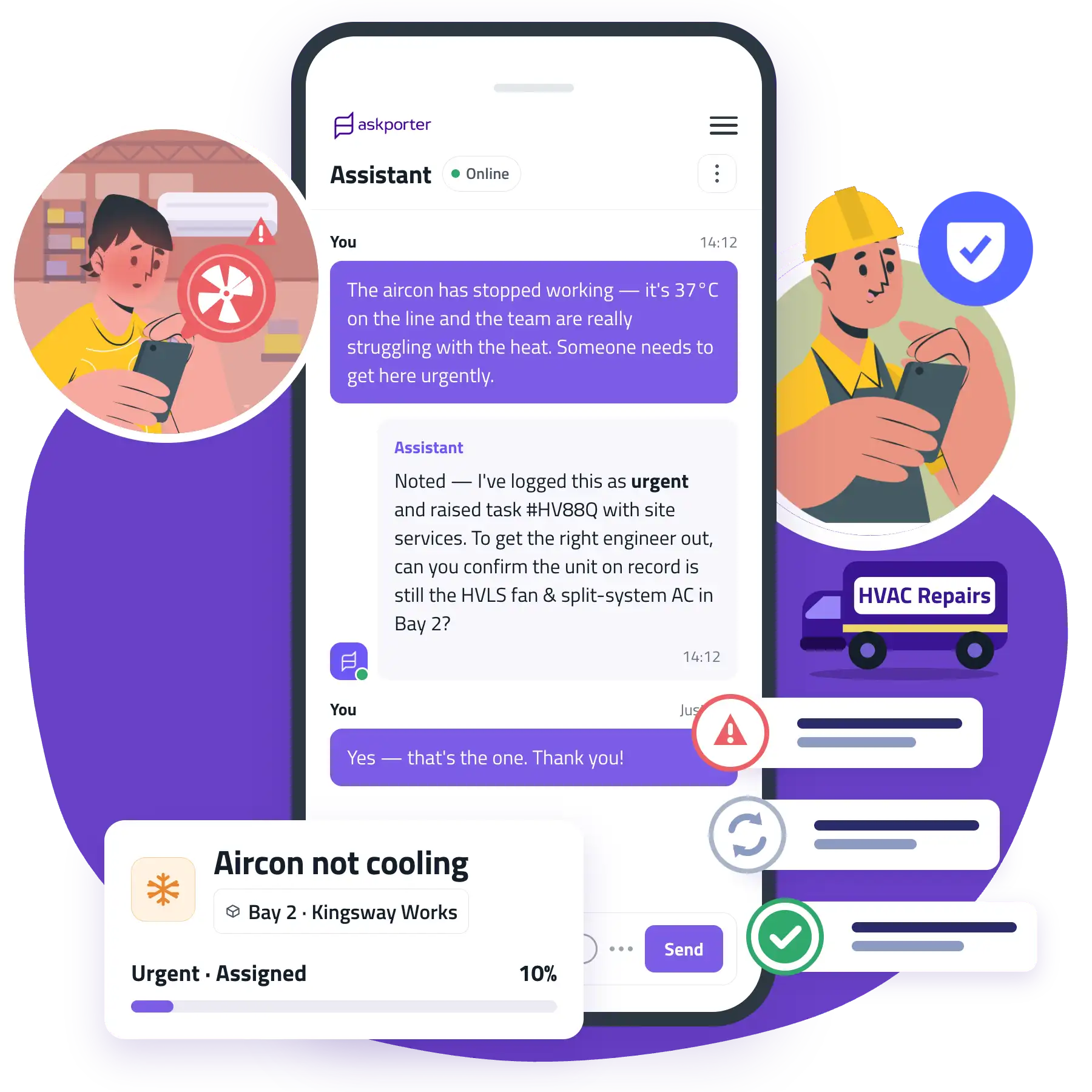
Your site reality
The production line has a system. The building around it doesn't.
Most manufacturing sites already run a CMMS or EAM system, but it's built around machinery: work orders, spare parts, and asset reliability for production equipment. The building itself, roof, HVAC, welfare facilities, loading bays, car parks, tends to fall outside that system's remit, and ends up managed on spreadsheets, a phone line to site services, or simply whoever's free. The first pain point is visibility into that gap: a facilities issue that affects production without technically being a production issue, reported late because nobody's quite sure whose system it belongs in.
94%
43.8%
What askporter delivers
Powerful otcomes for manufacturing sites
One platform, built for all on site.
Built for the facilities side of a manufacturing site.

Site Floor & Services Staff
First to spot a facilities issue, a leak, a broken door, a welfare facility fault. Needs to log it without stopping what they're doing.
Facilities / Site Services Manager
Wants visibility on progress and missed tasks in one glance, with a single source of truth dashboard, separate from the production CMMS.
Plant Director / Head of Site Services
Signs off the budget and answers for site uptime and safety under scrutiny.
Head of EHS
Accountable for safety across the site, and for evidencing that every walkaround and check happened.
Simplicity is the goal.
One platform for your operations.
One platform everyone on site already knows how to use, from the site floor to the plant director.

Task Raising
Quick reporting for a facilities issue, without stopping the line to make a call.
Shop floor or site services staff scan a QR code on a broken fitting, without needing to know whether it belongs in the production CMMS or a facilities system, because with askporter it always lands in the same place. Every report is triaged and linked to the right building and asset, ready for assignment.
Multiple reporting channels: online assistant, WhatsApp, email, or a QR code at the point of the issue.
Asset & Location Intelligence: each task linked automatically to the right room, floor and asset.
Self-Help & Triage: minor issues get a suggested fix before a job is even raised.
CAFM Integration: where a facilities or hospitality operations system is already in place, tasks sync straight through.
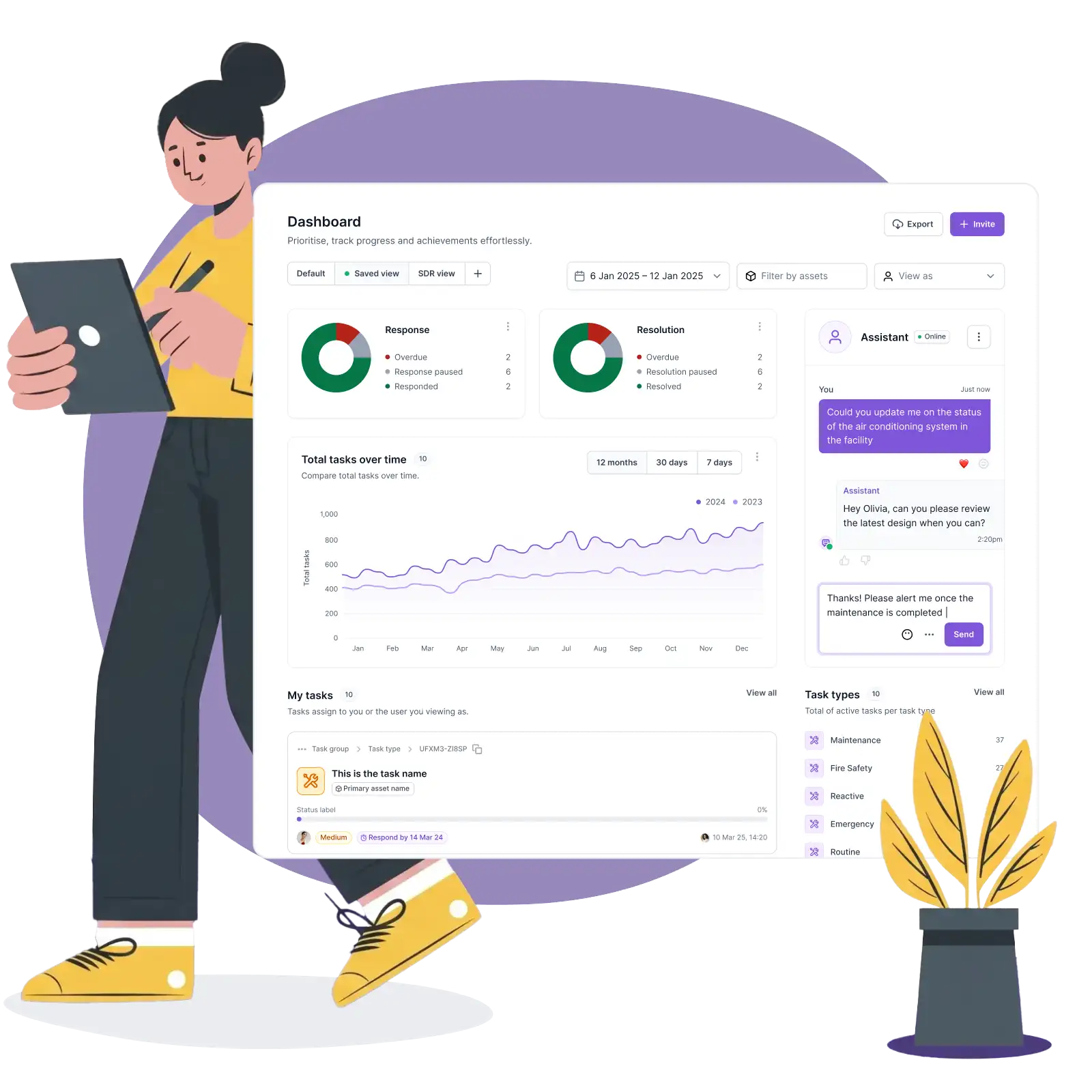
Control & Management
The at-a-glance view for the building side of the site, separate from the production CMMS.
SLAs are configured per building, per category, per team. A single dashboard shows every open, in-progress and closed facilities job across the whole site. When a job is heading for breach, especially one with knock-on risk to production, the escalation fires automatically.
SLA Management: response and resolution targets by category, building and asset, with automatic escalation.
Task Assignment: route to the right in-house team or external contractor in one motion.
Task Management: one dashboard for every facilities job across every site.
Work Orders & Quotes: raised and approved through your rules.
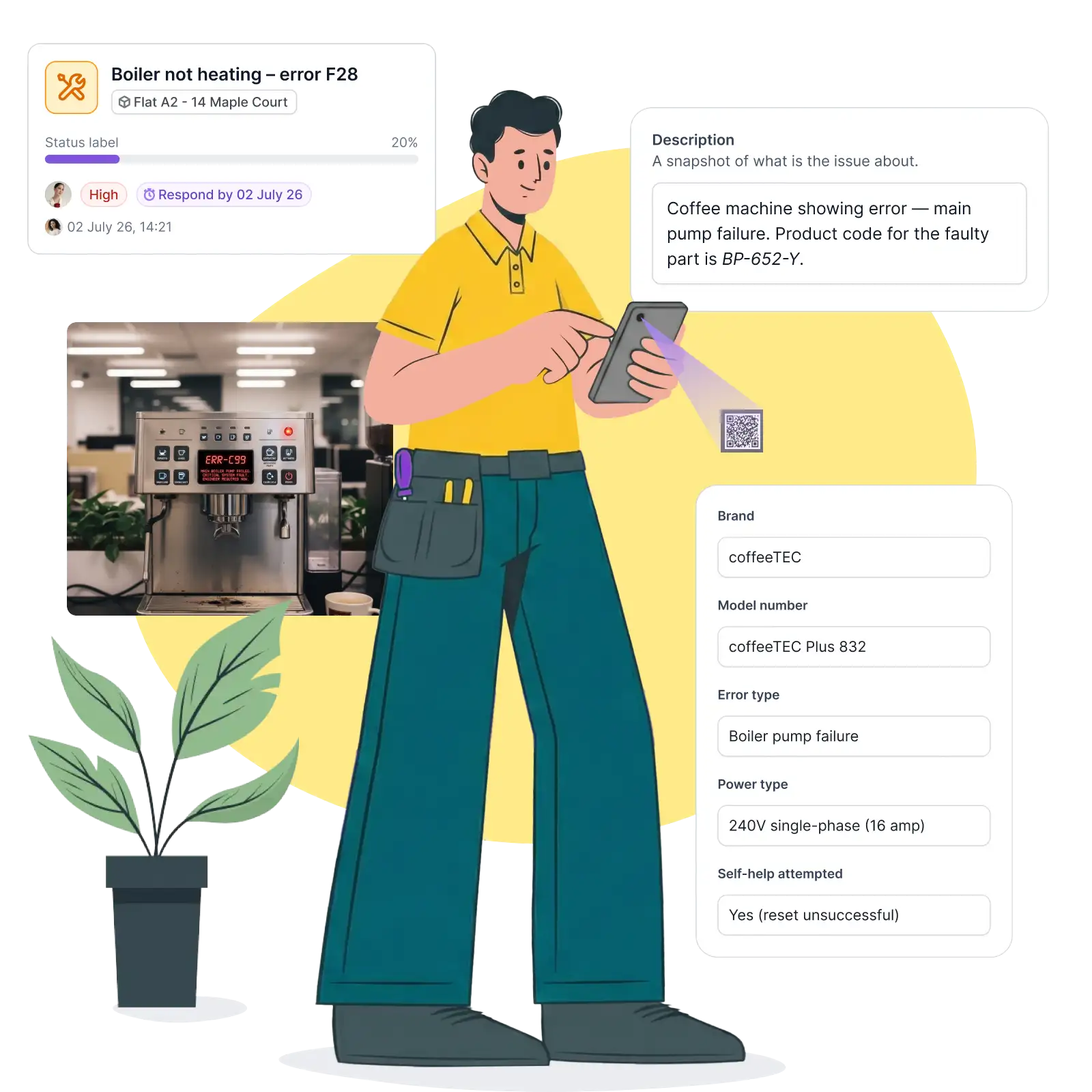
Job delivery
A safety walkaround that leaves a record, not a signature on a clipboard.
A facilities or safety walkaround is built from a series of stops, checked in by QR code as it's completed. Before-and-after photos attach directly to the record, so a completed check is evidenced, not just marked done on paper.
Operative Job Management: full job brief and asset history delivered on check-in via QR code or web link.
Photo Capture & Evidence: before-and-after photos timestamped against the job.
Supplier Assignment: assign external contractors inside the same flow as in-house teams.
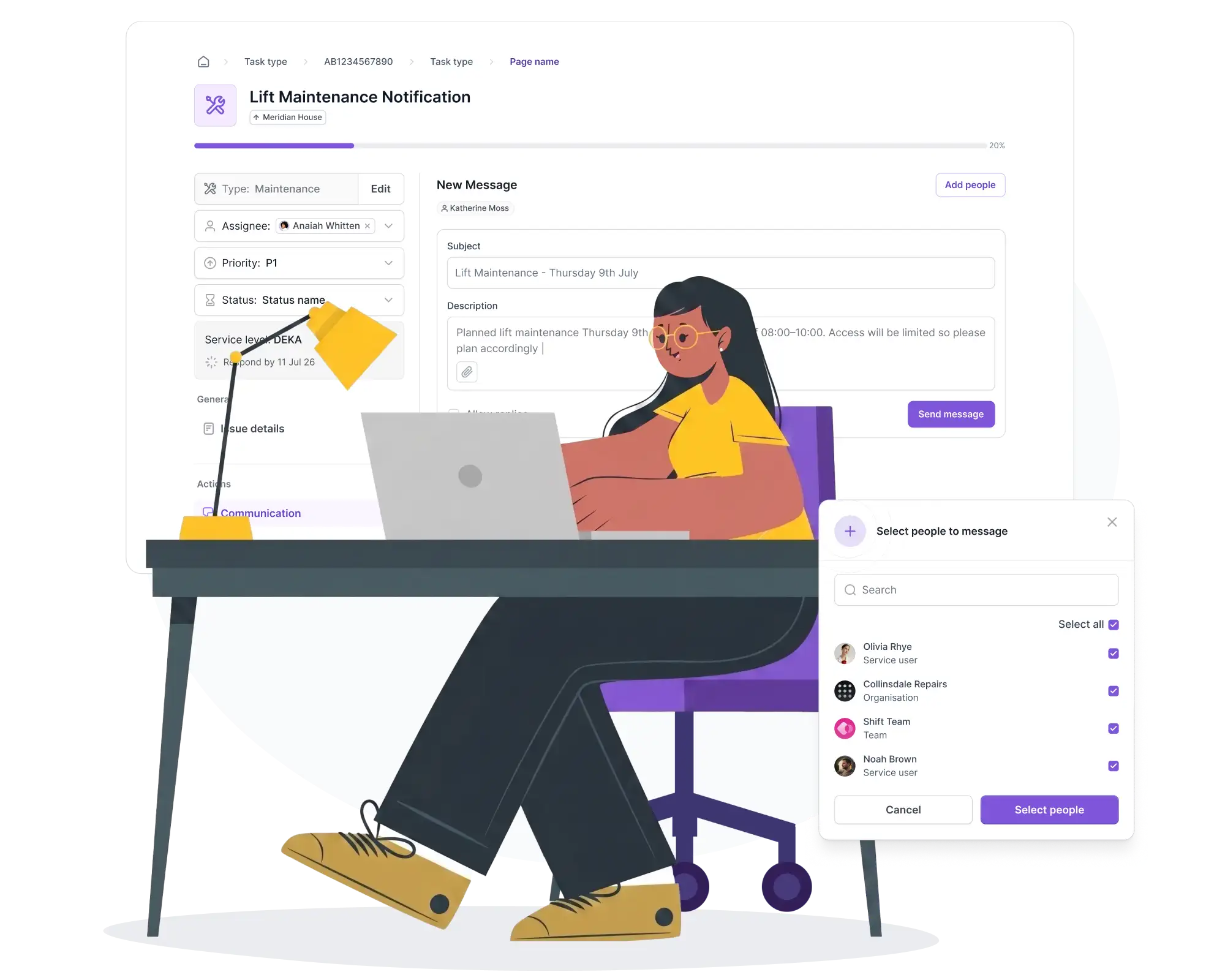
Outreach
Planned facilities works communicated before they clash with production.
Planned maintenance and compliance campaigns on the building side, fire safety checks and access audits, go out to the right site and audience with a dated record, instead of a notice that may or may not reach the right shift.
Planned Maintenance Notices: advance notice, with rescheduling options before the day.
Compliance & Safety Outreach: campaigns delivered by building and audience, with a full record.
Client Satisfaction Surveys: automated feedback, attributed back to building and team.
Manufacturing examples
How this works across a site.
Facilities, not production
A leaking roof over a line, reported without stopping the line.
A shop floor worker notices water coming through a roof panel above a production line. They scan a QR code, describe it in one line, and get back to work. It's triaged as a facilities issue, not routed into the production CMMS by mistake.
Quick reporting
A failed dock leveller, logged in seconds.
Goods-in staff notice a dock leveller isn't seating properly. Rather than a call to site services and a wait, it's logged on the spot with a photo, triaged, and assigned.
Safety walkaround, evidenced
A fire safety or EHS walkaround, stop by stop.
A facilities or EHS team member walks a defined route across the site, scanning a checkpoint at each stop. The result is a timestamped record instead of a signature on a clipboard at the end of a shift.
At a glance
The site-wide view, before the plant director asks.
Ahead of a site review, the facilities lead doesn't need to chase status from a spreadsheet and a phone call. One dashboard already shows open facilities jobs, SLA position and anything trending toward breach, across every building on site.
See how Operations fits together across your property.
Fifteen minutes is enough to see how every guest-reported issue, job and room check lands in one accountable trail.


Tech Innovation Awards 2026
Best FM & Housing AI Platform

Property Week Resi 2025
PropTech Innovation
Housing Innovation 2025
Best Repairs & Maintenance

Cyber Essentials Plus accredited
UK government-backed · externally audited

UK & EU hosted
UK data residency by default

GDPR compliant
Documented data processing · DPA on request

EU AI Act compliant
AI governance framework · 2024 legislation
Tech Innovation Awards 2026
Best FM & Housing AI Platform
Property Week Resi 2025
PropTech Innovation
Housing Innovation 2025
Best Repairs & Maintenance
Cyber Essentials Plus accredited
UK government-backed · externally audited
UK & EU hosted
UK data residency by default
GDPR compliant
Documented data processing · DPA on request
EU AI Act compliant
AI governance framework · 2024 legislation