
For healthcare estates & facilities teams
One view of every site. Nothing overdue goes unnoticed.
A healthcare provider's estate is never one building. It's wards, plant rooms, car parks and outbuildings across several sites, run by an FM team, security, concierge and porters who all raise and act on issues differently. askporter Operations gives every one of them a single accountable trail, and gives the people above them the portfolio-wide view and the missed-task alerts they've been chasing out of email and spreadsheets.
.png)
Your estate reality
You want to see it all at a glance. Today, "all" is scattered across four systems and a phone line.
The first thing an estates or FM lead in the healthcare sector raises, unprompted, is almost always the same: "I need to know at a glance what's going on with my entire building, site or portfolio. I also need constant alerts when things are missed." Today, that view doesn't exist in one place. It's assembled, manually, from an enterprise CAFM or asset management system, an in-house tool, spreadsheets, and a phone line, and it's out of date the moment it's compiled.
The language a healthcare estate's buyer uses to describe this isn't sector-specific. It's the same language any commercial FM buyer uses: a single source of truth, one system of record, visibility that doesn't depend on someone remembering to update a spreadsheet. The stakes are what differ, not the vocabulary. An estate this size, with this many people able to raise an issue, cannot afford a job that quietly falls through the gap between systems.
94%
43.8%
500,000+
What askporter delivers
Four exceptional outcomes for hospital sites
One platform, for everyone.
Built for everyone accountable for a healthcare provider's estate

Security, Concierge & Porters
On the floor all day and the first to spot a fault. Needs to log an issue in seconds, from wherever they're standing, without learning a new system.
FM / Estates Manager
Wants visibility on progress and missed tasks in one glance, rather than chasing status across separate systems and a phone line.
IT / Digital Transformation Lead
Asks how this sits alongside the existing CAFM or asset system, what the data architecture looks like, and what the security credentials are before anything else is discussed.
Executive Board / Director of Estates / CFO
Signs off the budget and answers for it. Wants portfolio-wide evidence that issues are tracked and resolved, not a claim they can't back up under scrutiny.
Simplicity is the goal.
One platform for your operations
One platform every member of the estate, from a porter to the executive board, already knows how to use.
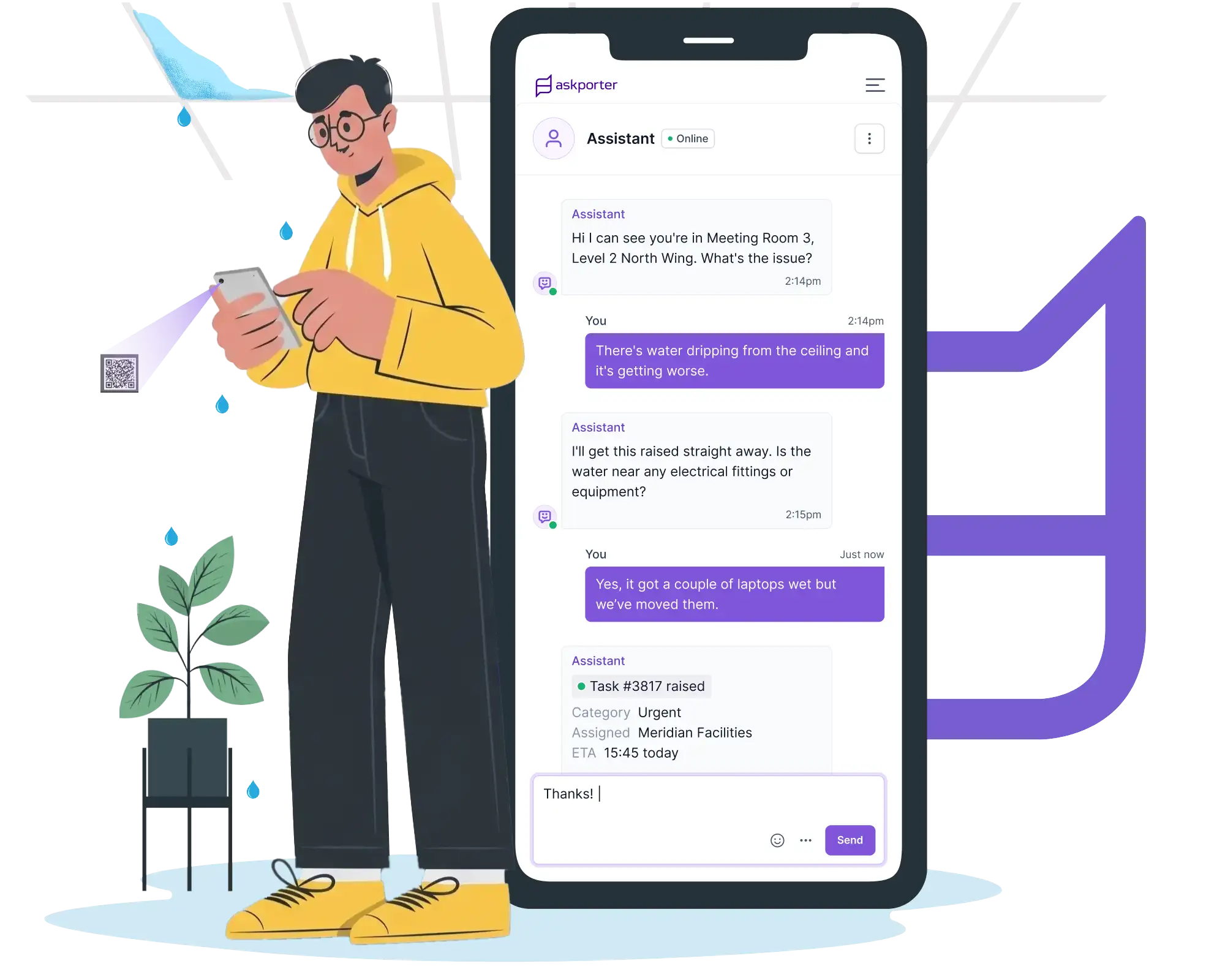
Task Raising
QR codes so everyone can report easily, whichever team they're in.
A porter scans a QR code on a broken fitting mid-round. A security officer logs a fault from a handheld during a patrol. A concierge raises a report from the front desk. Every route lands the issue in the same place, triaged and linked to the right building and asset, ready for assignment.
Multiple reporting channels: online assistant, WhatsApp, email, or a QR code at the point of the issue.
Asset & Location Intelligence: each task linked automatically to the right building, floor and asset.
CAFM Integration: where an enterprise CAFM or asset system is already in place, tasks sync straight through.
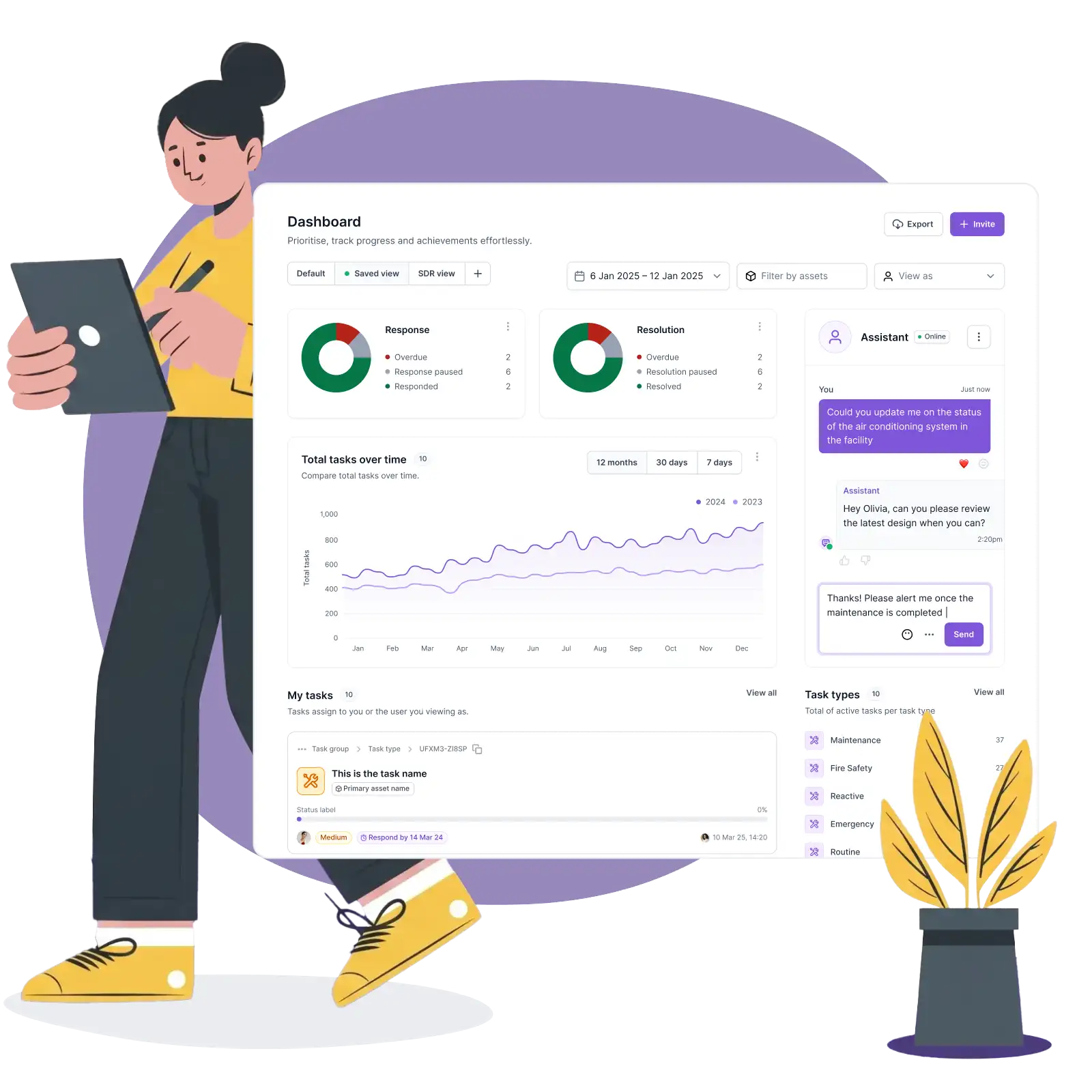
Control & Management
The at-a-glance view, and the alert before something's missed.
SLAs are configured per building, per category, per team. A single dashboard shows every open, in-progress and closed job across the whole estate, not one building at a time. When a job is heading for breach, the escalation fires automatically, answering the second half of the brief directly: constant alerts when things are missed.
SLA Management: response and resolution targets by category, building and asset, with automatic escalation.
Task Assignment: route to the right in-house team or contractor in one motion.
Task Management: one dashboard for every job across every site in the estate.
Work Orders & Quotes: raised and approved through your rules.
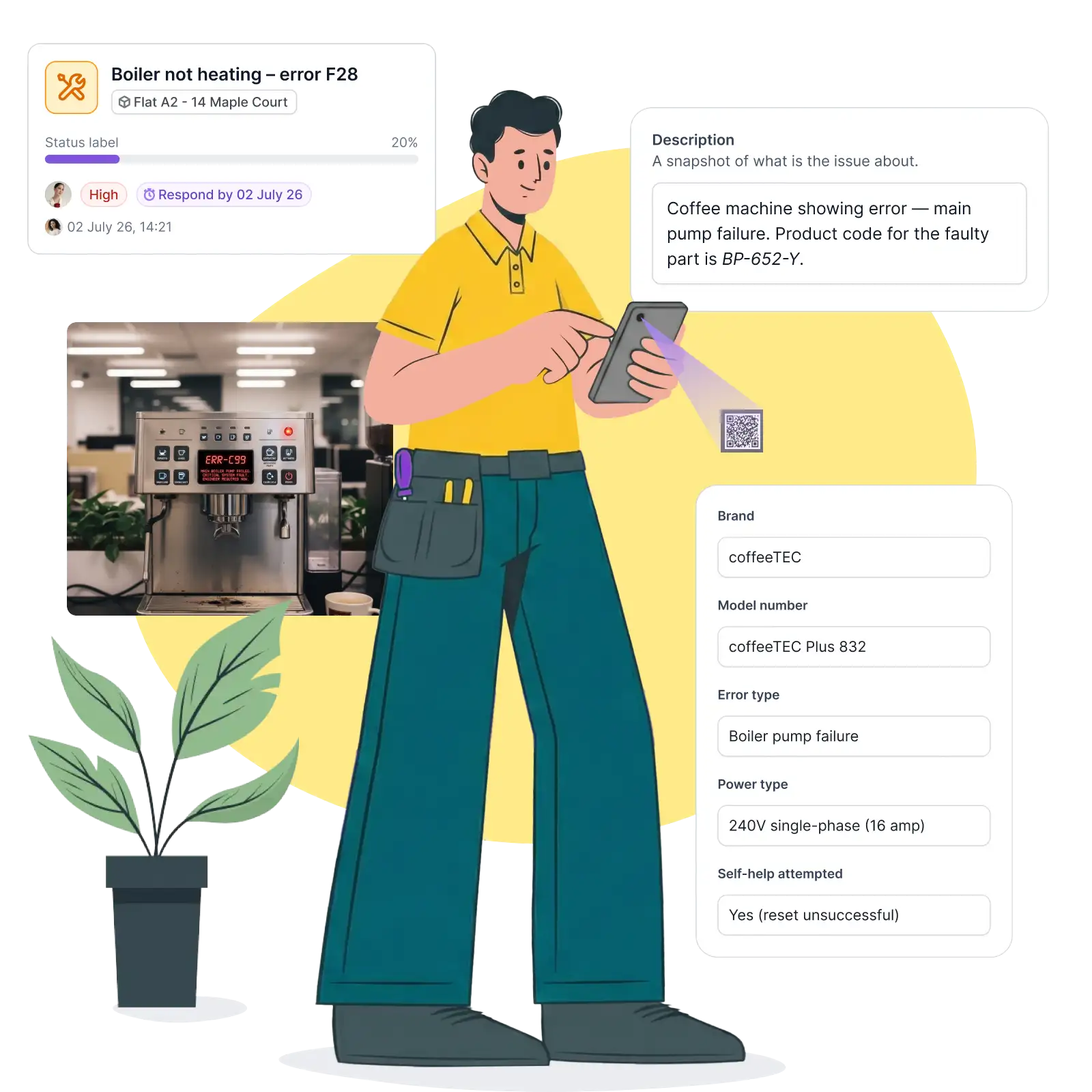
Job delivery
Checklists for daily walkarounds, security and FM, with a record that it happened.
A security or FM walkaround is built from a series of stops. Each one is checked in by QR code as it's completed, in order, on the day. A walkaround stops being a signature on a paper sheet at the end of a shift and becomes a timestamped record of where someone was and when.
Operative Job Management: full job brief and asset history delivered on check-in via QR code or web link.
Photo Capture & Evidence: before-and-after photos timestamped against the job.
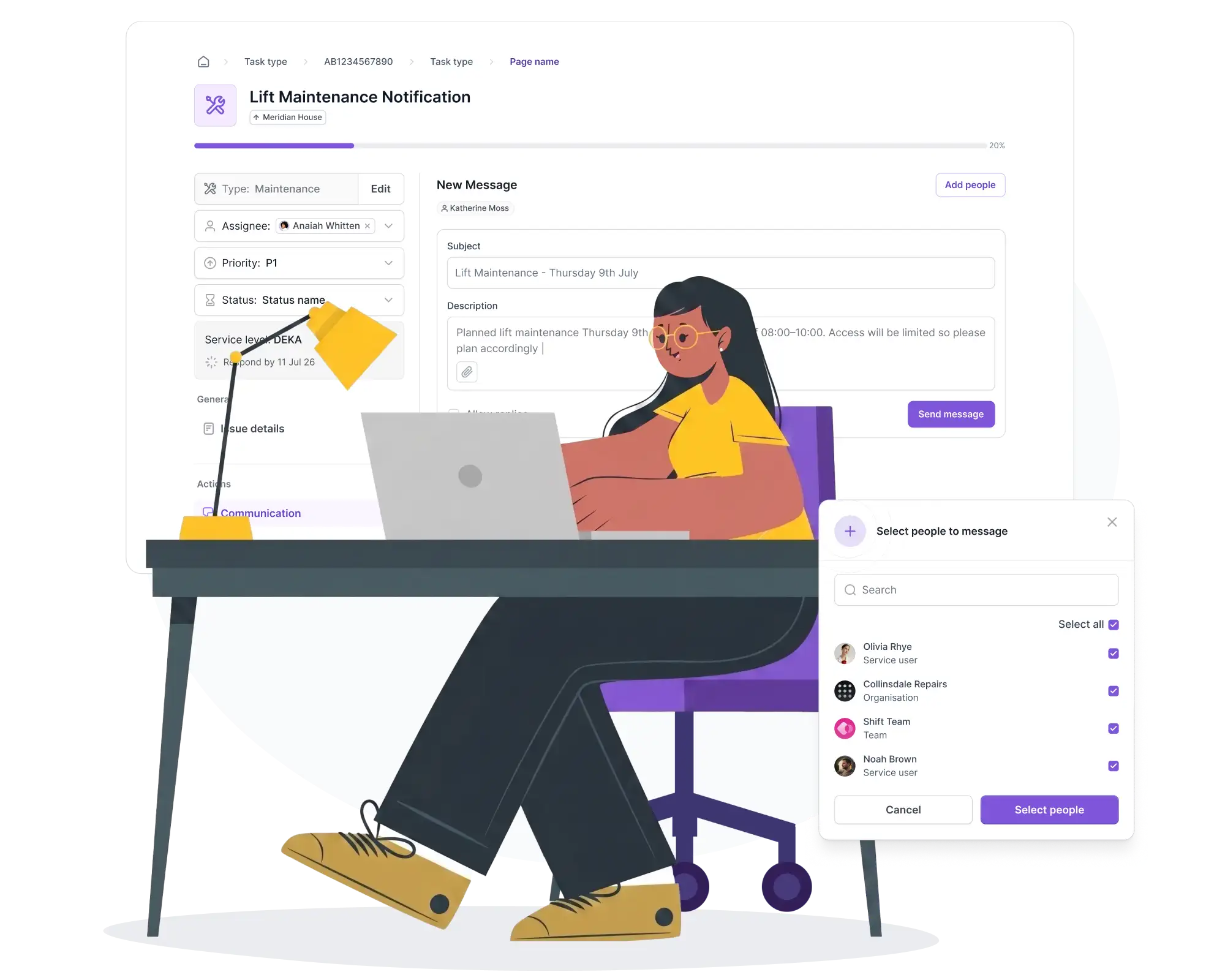
Outreach
Planned works and compliance campaigns, sent before anyone has to ask.
Planned maintenance and compliance campaigns, fire safety checks, access audits, go out to the right building and audience with a dated record for the file, instead of a noticeboard nobody reads.
Planned Maintenance Notices: advance notice, with rescheduling options before the day.
Compliance & Safety Outreach: campaigns delivered by building and audience, with a full record.
Client Satisfaction Surveys: automated feedback, attributed back to building and team.
Healthcare examples
How it works across a site
Quick reporting
A minor fault, logged in seconds
A member of staff notices a loose handrail while walking between buildings. They scan the QR code on the nearest asset panel, add a one-line description, and move on. The task is triaged and assigned automatically, with no call to a helpdesk for something this routine.
Daily walkaround
Security's night round, stop by stop
A security walkaround covers a defined route across the site overnight, and each checkpoint is scanned as it's reached. By the morning handover there's a complete, timestamped record of the route, not a paper sheet that may or may not have been filled in consistently.
At a glance
The Monday morning view, across every site
Before a board-level meeting, the FM lead doesn't need to chase three building managers for a status update. One dashboard already shows open jobs, SLA position and anything trending toward breach, across the whole estate.
Nothing missed
The job that would have slipped, flagged instead
A routine repair sits untouched for two days. Instead of surfacing only when someone happens to look, the SLA engine escalates it automatically to the FM manager, exactly the "constant alert" behaviour asked for.
Ready to see every site at a glance, and never miss what's overdue?
Book 30 minutes with us. Bring your current escalation log, one contractor SLA, and the last walkaround you couldn't fully evidence. We'll show you what one view of the whole estate looks like, alongside the systems you already run.


Tech Innovation Awards 2026
Best FM & Housing AI Platform

Property Week Resi 2025
PropTech Innovation

Housing Innovation 2025
Best Repairs & Maintenance

Cyber Essentials Plus accredited
UK government-backed · externally audited

UK & EU hosted
UK data residency by default

GDPR compliant
Documented data processing · DPA on request

EU AI Act compliant
AI governance framework · 2024 legislation
Tech Innovation Awards 2026
Best FM & Housing AI Platform
Property Week Resi 2025
PropTech Innovation
Housing Innovation 2025
Best Repairs & Maintenance
Cyber Essentials Plus accredited
UK government-backed · externally audited
UK & EU hosted
UK data residency by default
GDPR compliant
Documented data processing · DPA on request
EU AI Act compliant
AI governance framework · 2024 legislation